Subject
The noun phrase, stripped of everything else. "A woman", not "a beautiful woman waiting in the rain".
Free tool
Pick the format you need, then drop your picture into the workspace and get the prompt that recreates it, written in the syntax of the model you will paste it into.
Run it here · Your image stays in browser memory until you press Run
Image
Drop an image, press Ctrl+V, or
JPG · PNG · WebP · max 10 MB
Output
A plain description you can paste anywhere
Free — 1 runs a day without an account
Output
Add your input, choose the options you need, then run the tool.
From image to language
A visual example makes the result easier to judge before you upload anything. The sample below is illustrative; your file is processed only after you approve the run.
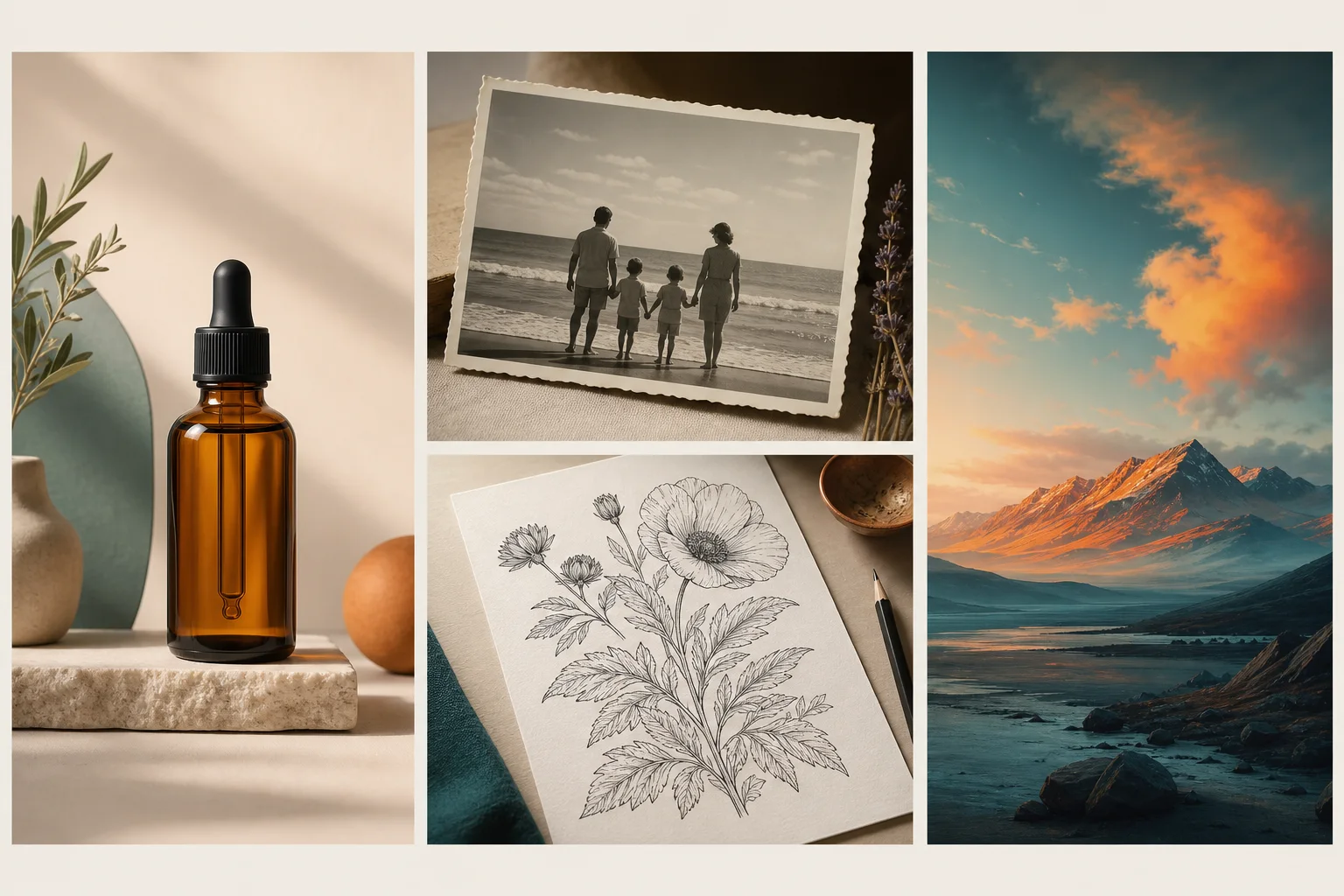 Reference image
Prompt reading
“Editorial product photograph, warm mineral palette, soft side light, restrained composition, realistic surface texture.”
Visual guide
A useful prompt does more than name the courier. It separates the visual decisions so you can keep the composition, replace the subject, or change only the lighting in your next generation.
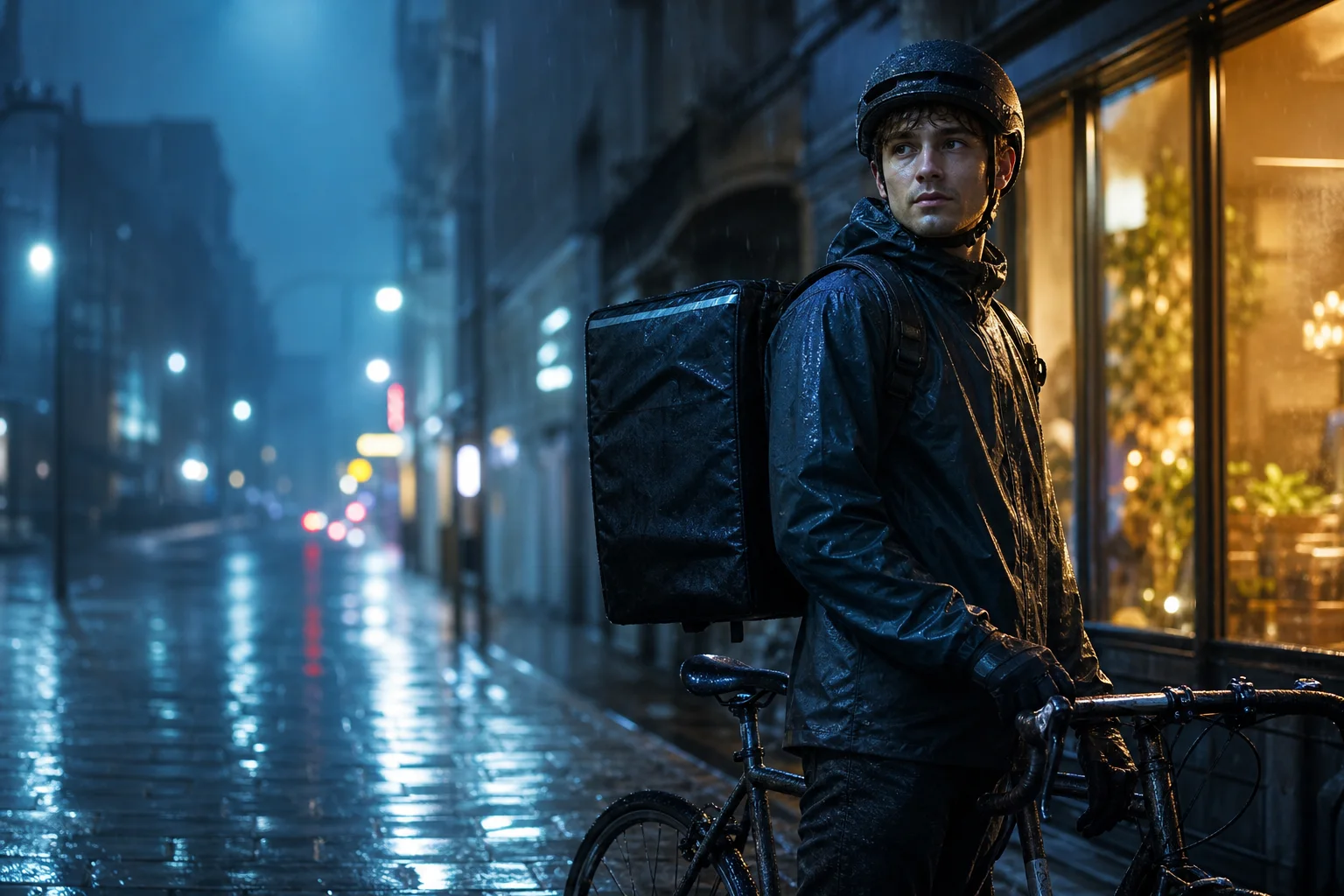 Example
A rain-soaked bicycle courier pauses beside a bike. Concrete nouns and actions give the next model an unambiguous anchor.
Cool blue rain light is balanced by a warm storefront rim. Naming both sources preserves the contrast instead of asking only for “cinematic”.
The courier sits on the right third while wet pavement leads through the negative space. Shallow background focus separates depth from location.
Pixels do not reveal the original seed, private prompt, LoRA or exact model. The output is a reconstruction of visible choices, not hidden metadata.
Reference
The formats are not styles — they are different syntaxes. Picking the wrong one is the most common reason a prompt "does not work" in the model you paste it into.
| Format | Paste it into | What it looks like |
|---|---|---|
| General | Anything, or a human | A descriptive paragraph, no parameters |
| Midjourney | Midjourney, Niji | Description plus --ar --stylize --v |
| Stable Diffusion | SD, SDXL, Pony, Illustrious | Comma tags with weights, plus a negative prompt |
| Flux | Flux, DALL-E, Ideogram | Full sentences — tag soup reads as noise to these |
| Structured JSON | Your own code, or editing here | Six fields: subject, style, lighting, composition, camera, colour |
| Nano Banana | Gemini image editing | Phrased as an instruction rather than a description |
Breakdown
Pick the structured format and you get these as editable fields. Change one, and the prompt rebuilds instantly — no second run, no extra wait.
The noun phrase, stripped of everything else. "A woman", not "a beautiful woman waiting in the rain".
Medium and treatment. 35mm film, gouache, 3D render — concrete choices, not mood words.
Overcast diffuse, golden hour backlight, bare flash. This does more for realism than any adjective.
Framing, crop, where the subject sits, what is behind it.
Focal length and depth of field. 24mm and 85mm frame a face in irreconcilable ways.
Palette and atmosphere, kept separate from the subject so you can swap one without disturbing the other.
Detail
An image to text prompt tool describes what is in a picture in plain sentences — useful for alt text and captions, useless for regeneration.
Image to prompt describes it the way a generator needs to hear it: subject first, then style, lighting, composition and camera, in the syntax of the target model. The difference shows immediately when you paste the result into Midjourney.
Steps
Choose the syntax and the output language on this page. Your choices travel with you into the workspace.
Drag a file, press Ctrl+V to paste from your clipboard, or give a URL. The upload lives there because that is where the run happens.
A few seconds. Image to prompt is free — one real run a day works without an account.
Copy it as it is, or switch to the structured format and adjust individual fields before copying.
FAQ
Pick the format for the model you use, continue into the workspace, and drop the image there. Nothing to install, and no account required for your first runs of the day.
Built in public
Published messages are from signed-in users, reviewed for privacy and spam, and shown with the team response when one exists.
No public feedback has been published yet. New submissions are reviewed before they appear here.
Sign in before submitting. This keeps the public board useful and gives us a way to follow up privately.
Sign in to share feedbackKeep creating
An account raises your daily allowance and keeps your history.