Prompts
How to Turn an Image Into a Prompt: A Step-by-Step Guide
Learn how to turn an image into an AI prompt, adapt it to your model, compare regenerated results, and fix common mistakes with worked examples.
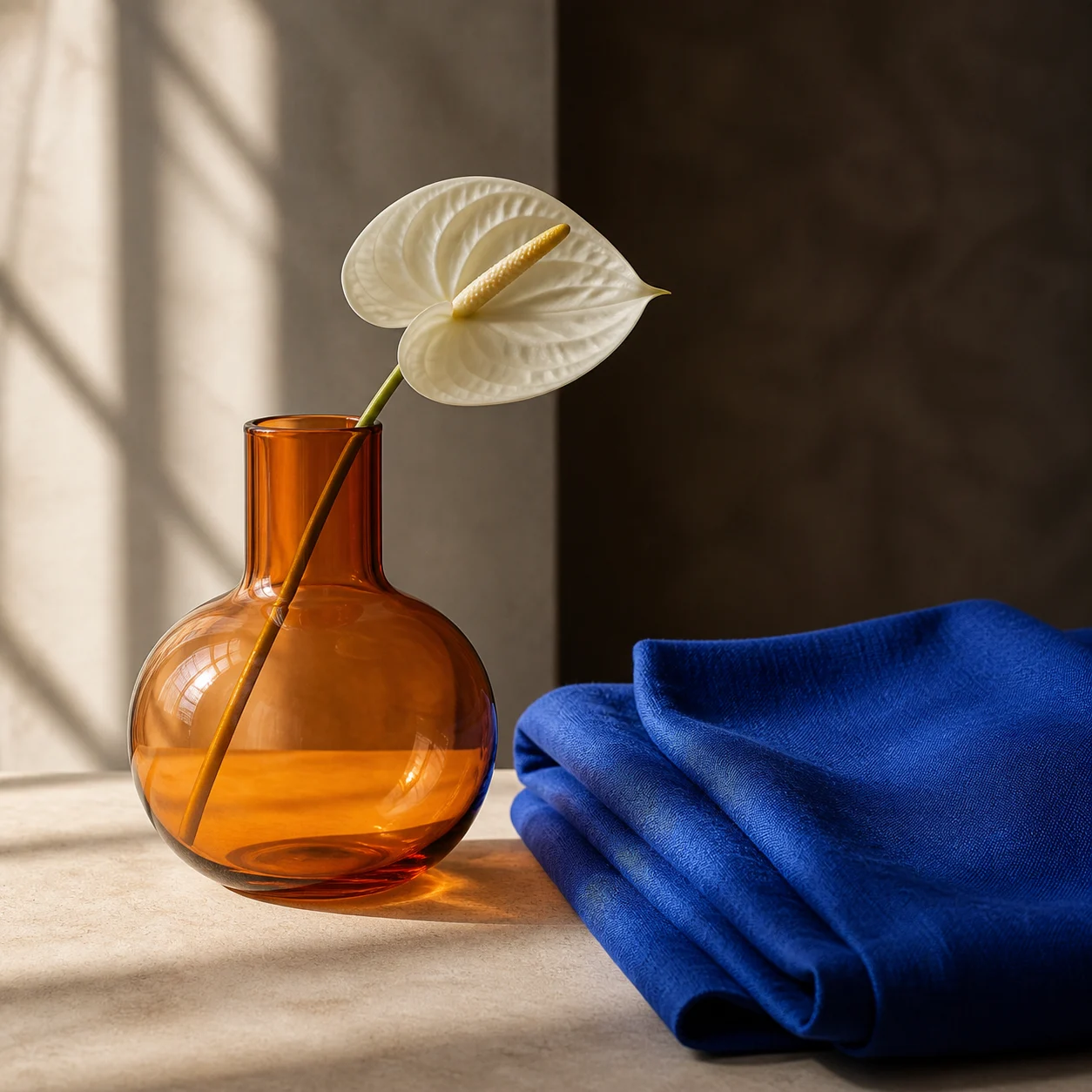
To turn an image into a prompt, upload the reference to an image-to-prompt tool, choose the generator you plan to use, and ask for a description of its subject, composition, lighting, palette and medium. Check the description against the reference before copying it into your generator. Then compare the new image with the source and revise the largest mismatch. A useful prompt is a set of visual instructions you can reuse, not a transcript of how the original image was made.
Can you recover the original prompt from an image?
Start by separating two different tasks. Some original image files contain generation metadata saved by the software that created them. If you own such a file, its metadata may include the original instructions. A screenshot, compressed social upload or file with stripped metadata may contain none of that information. A vision model looking at the pixels is doing a different job: proposing language that describes the appearance.
Even a correct description leaves many choices open. “A white flower in an amber vase” does not specify the exact curve of the glass, the position of every fold or the pattern of the shadows. Midjourney makes the same boundary explicit in its Describe documentation: suggested prompts do not precisely copy the uploaded image. Judge a reconstructed prompt by the decisions it preserves, rather than whether the resulting pixels match.
How to turn an image into a prompt, step by step
Open the image-to-prompt tool. The focused page has its own upload and text-result controls; you do not need to start a multi-step Agent conversation to describe one reference. Keep an untouched copy of your source so you can check both the written description and any later generated result.
1. Add your reference
Use the image upload area. Pick an image you are allowed to process, and inspect it at a size where the main objects and edges are readable.
2. State what matters
In “What do you need?”, name the decisions to preserve: framing, subject placement, materials, lighting or palette. Ask the model to label uncertainty rather than guess.
3. Select the output
Choose an output format and prompt language. General is a useful starting point for descriptive prose; choose a model-specific format only when you know the target.
4. Generate and inspect
Select “Generate prompt”. Compare the returned words with the source: count the objects, check their positions, and remove details the image does not establish.
5. Copy and generate
Use “Copy” on the text result. Image generation is a separate operation in your chosen generator and may have its own price or allowance.
6. Revise one difference
Compare the generated result with the reference. Change one instruction, such as light direction, while keeping the rest of the prompt stable.
Avoid adding an upscale or a strong cleanup pass merely because the reference is small. Those operations can change textures before the vision model describes them. First try the original at a readable display size. If important details remain too small to identify, say that they are unclear instead of asking a model to invent them.
Read the image in six parts
The still-life reference at the top of this guide is a useful exercise. A generic description might mention a vase and flower, but the amber glass, blue fabric and window shadows carry much of its visual character. Separate those choices before combining them into a paragraph. This is an editing checklist; it does not require six separate form fields in the tool.
| Part | What to record | What to avoid guessing |
|---|---|---|
| Subject | One white anthurium in a rounded amber vase; blue fabric to the right | A brand, artist or object outside the frame |
| Composition | Vase left of centre; fabric fills the lower right; square crop | Exact physical distances from a single view |
| Lighting | Warm side light from the left and window-like shadows | The exact studio light or time of day |
| Materials | Translucent amber glass, veined flower, textured fabric | A material specification the pixels cannot prove |
| Camera appearance | Close still life with visible surface detail | A claimed camera body, lens or exposure setting |
| Palette and medium | Amber, cobalt blue, cream and brown; photographic treatment | Treating “cinematic” as a complete description |
Write the important relationships explicitly. “Blue cloth beside the vase on the right” is more useful than mentioning “vase, cloth, blue” in an unordered list. If the new picture puts the flower behind the fabric, fixing the positional sentence is a more controlled experiment than adding more adjectives. An optional camera phrase should describe an intended look, not claim knowledge of the reference file.
Choose a prompt format for your target model
| Target | Useful starting point | Check before pasting |
|---|---|---|
| General or natural-language generators | A coherent paragraph with the subject and relationships first | Whether the model accepts reference images or separate size settings |
| Midjourney | A visual description with supported parameters at the end | Current aspect-ratio and version syntax; a guessed version is not source metadata |
| Stable Diffusion workflows | A description or tags suited to the checkpoint and interface | Weighting and negative-prompt syntax vary by workflow |
| FLUX | Clear positive descriptions of the desired scene | Black Forest Labs documents working without negative prompts |
| Structured JSON | An organized text representation you can edit or process | Most image generators do not accept arbitrary JSON as a native image request |
Formatting is not a guarantee of compatibility. A negative-prompt box in one workflow does not imply that every generator has one. Likewise, changing a format selector does not reveal which model created the reference. Start with the target model’s current documentation and preserve the same visual facts when translating between formats. To see what breaks when one syntax is pasted into another model, compare the same idea written for Midjourney, Stable Diffusion and Flux.
Worked examples: reference, prompt and regenerated image
A round-trip comparison asks a practical question: if a generator receives only the written description, which decisions survive? Compare subject count and placement first, then light direction, colour, texture and small details. A convincing result may still be a poor match. In particular, a newly generated portrait is not evidence that a person’s identity has been preserved.
Worked example
Portrait: appearance versus identity
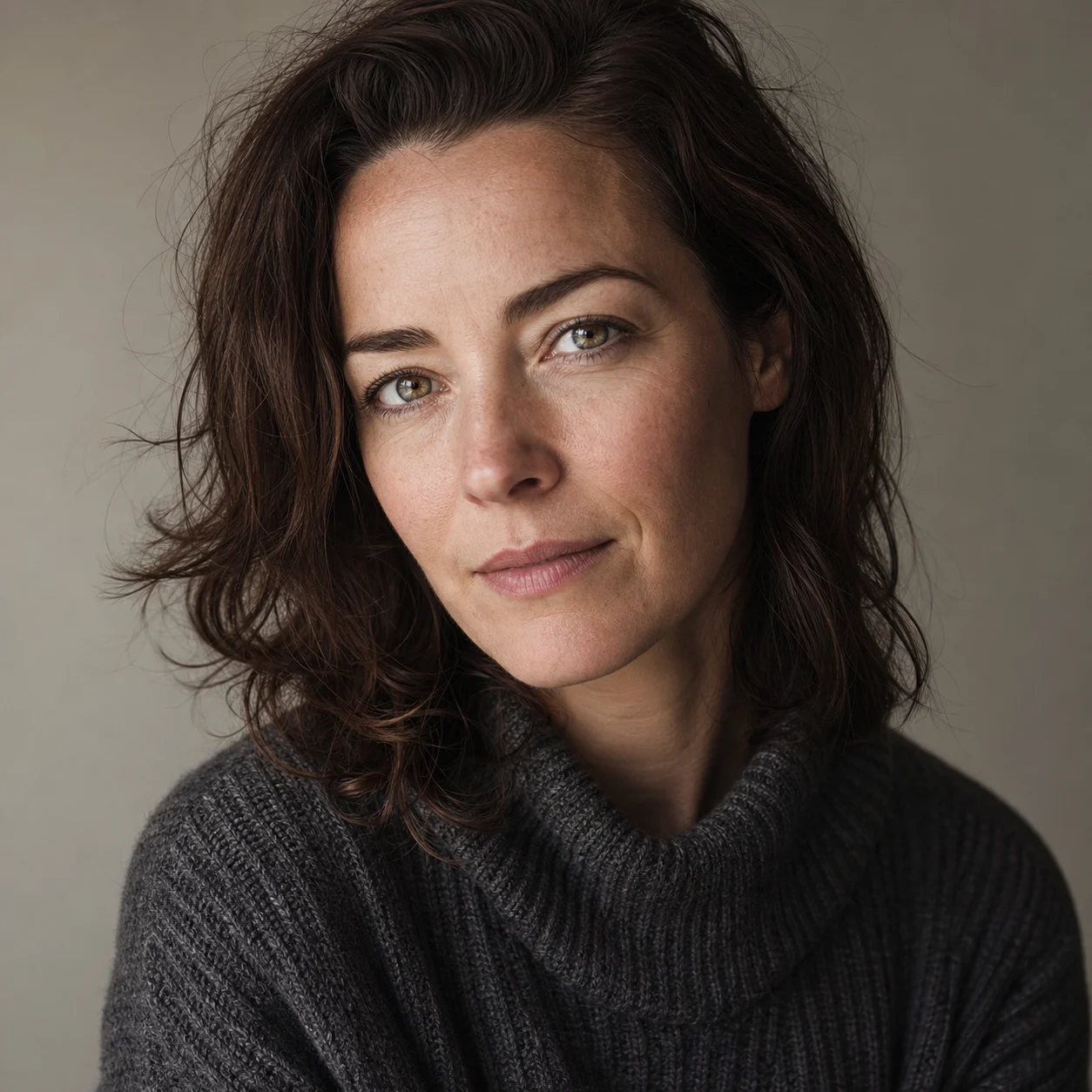
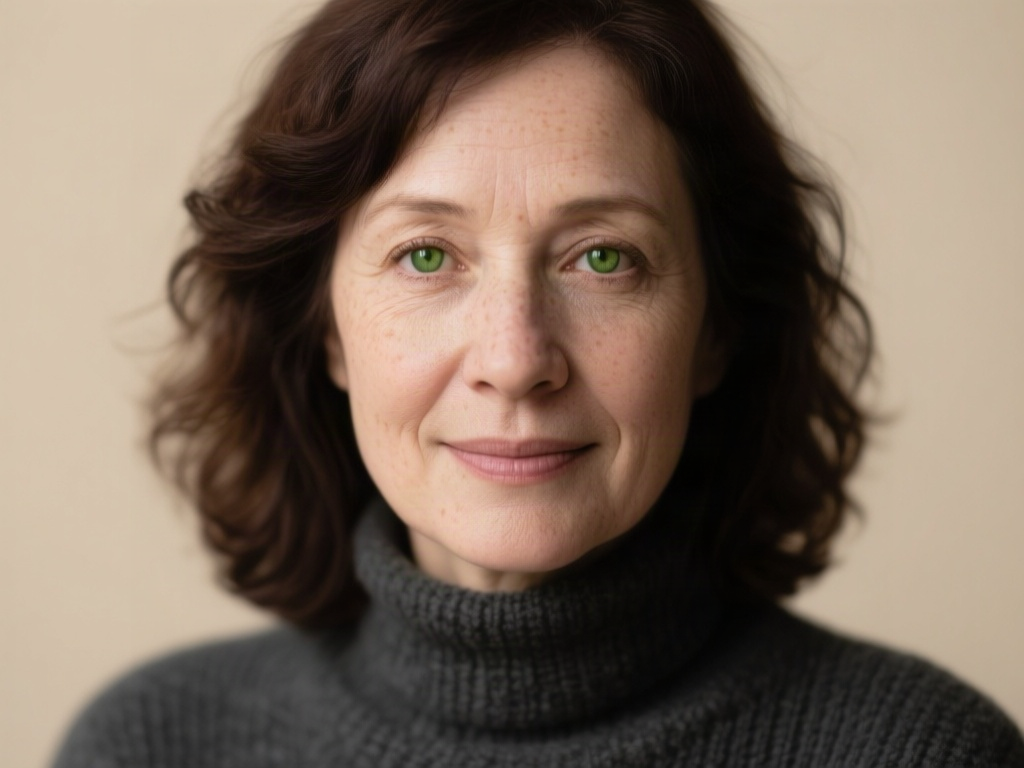
Captured 9 September 2026. Existing AI-generated reference → the tool’s actual qwen/qwen3.7-flash text output → Qwen Image with that unedited prompt and default generation settings. The source image was not passed to the generator. One completed capture per example; no best-of selection. The first portrait capture failed after its text calls and was rerun before any regeneration image was produced.
Read the unedited prompt
A realistic close-up portrait of a middle-aged woman with shoulder-length wavy dark brown hair and expressive green-hazel eyes. She wears a textured dark grey turtleneck sweater and has a calm, subtle smile. The lighting is soft and directional, highlighting natural skin texture and freckles against a plain neutral beige background. The composition is centered, focusing on her face with a shallow depth of field that keeps the eyes sharp while softly blurring the hair edges.
- The result keeps a dark sweater, brown hair, a neutral background and a portrait composition.
- The face, hairstyle and eye colour visibly change. The generated portrait is a different synthetic person; the prompt did not preserve identity.
- The square reference became a 1024 × 768 result because generation used the endpoint default size. Specify the target aspect ratio separately when it matters.
Worked example
Still life: materials versus placement
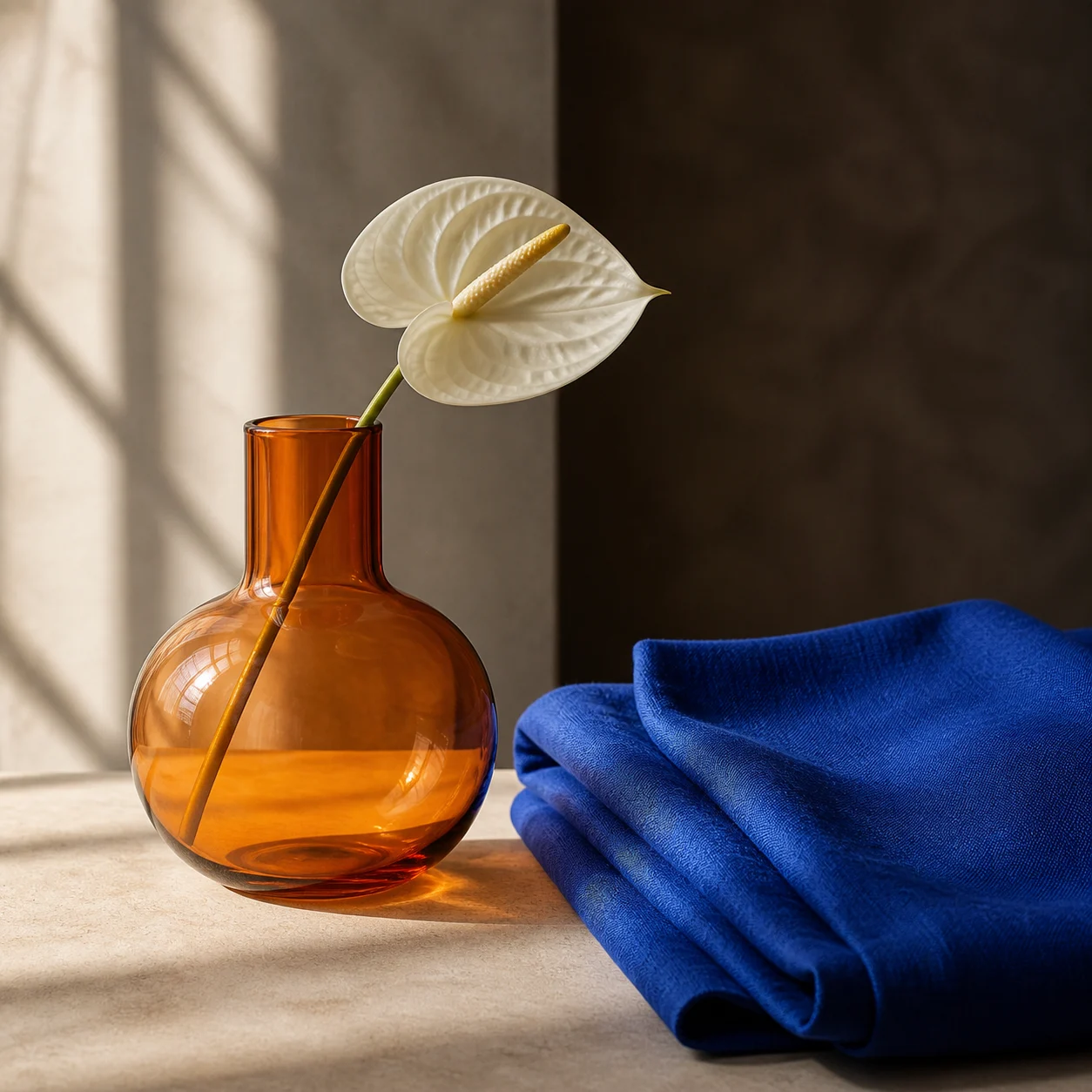
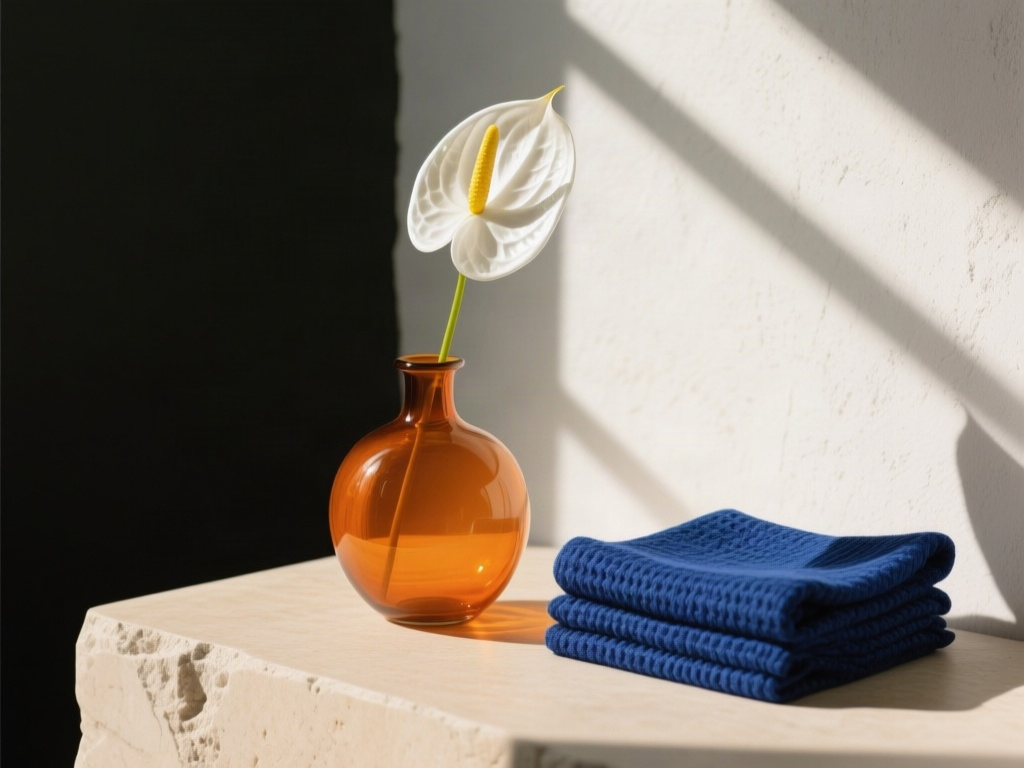
Captured 9 September 2026. Existing AI-generated reference → the tool’s actual qwen/qwen3.7-flash text output → Qwen Image with that unedited prompt and default generation settings. The source image was not passed to the generator. One completed capture per example; no best-of selection.
Read the unedited prompt
A minimalist still life photograph featuring a round, amber-colored glass vase holding a single white anthurium flower with a yellow spadix. The vase sits on a light beige stone surface next to a neatly folded stack of rich royal blue fabric with a visible weave texture. Strong natural sunlight enters from the left, casting distinct diagonal shadow lines across the textured off-white background wall and illuminating the translucent glass. The composition contrasts the warm orange tones of the vase against the cool deep blue of the cloth, set against a split background of light concrete and dark brown shadow.
- Amber glass, a white anthurium, blue fabric and directional window-like light survive the round trip.
- The vase proportions, fabric folds and background split change; the large dark wall area moves from the right of the reference to the left of the result.
- The prompt describes a neatly folded stack, although the source fabric is more loosely draped. Correct the description before generating if those folds matter.
Worked example
Illustration: style versus exact linework
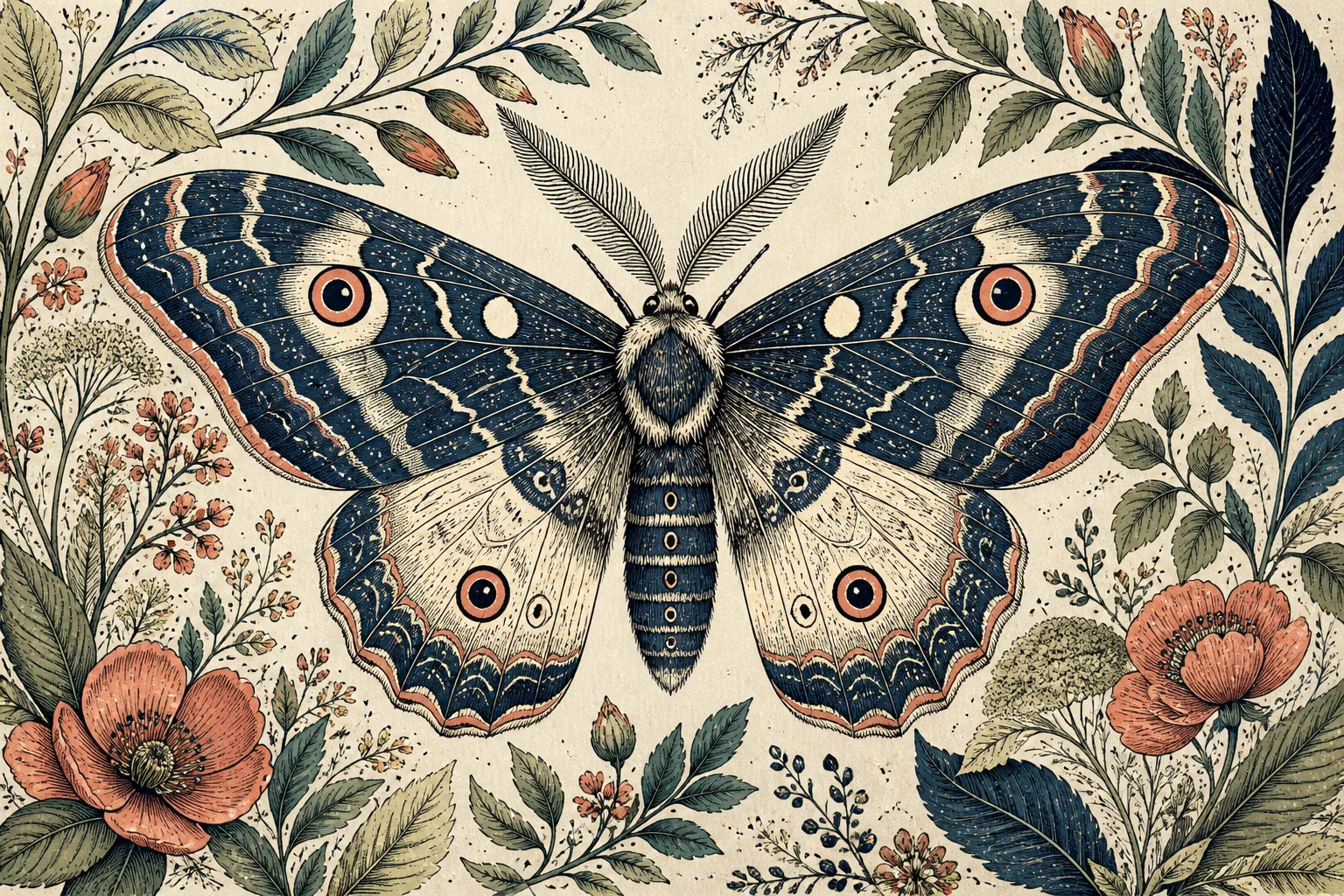
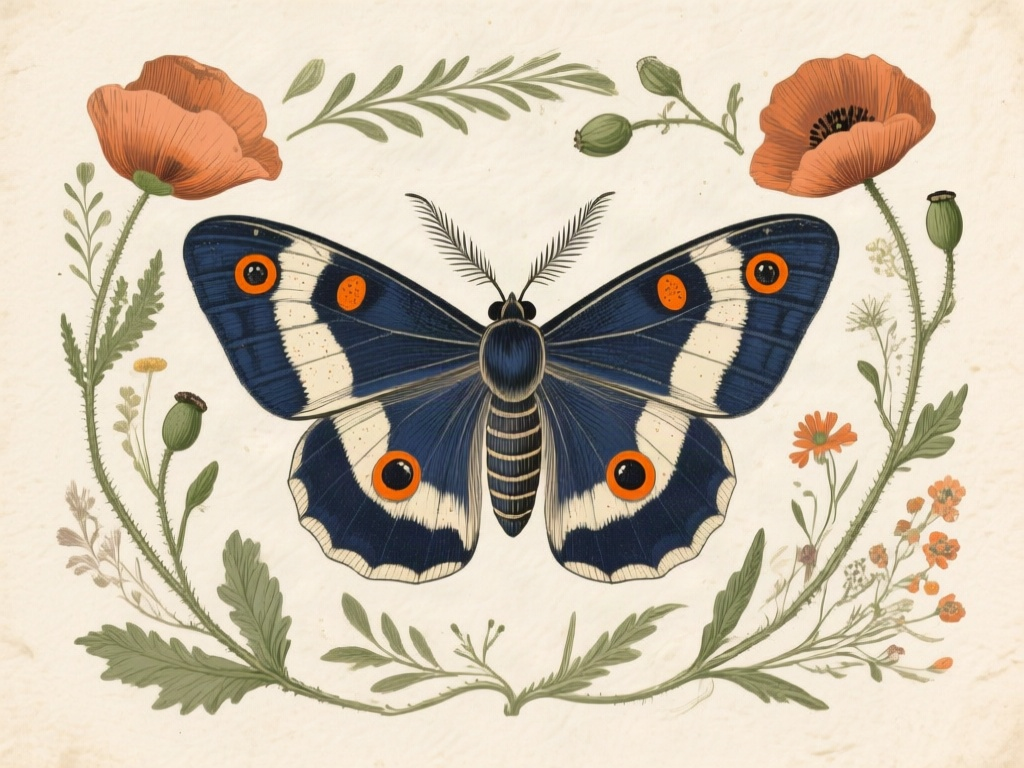
Captured 9 September 2026. Existing AI-generated reference → the tool’s actual qwen/qwen3.7-flash text output → Qwen Image with that unedited prompt and default generation settings. The source image was not passed to the generator. One completed capture per example; no best-of selection.
Read the unedited prompt
A vintage-style botanical illustration featuring a large, symmetrical moth centered on textured cream paper. The moth has deep navy blue and cream wings with prominent orange-ringed eye spots, feathery antennae, and a segmented body, rendered with fine ink cross-hatching and stippling. Surrounding the moth is an ornate frame of wild flora including terracotta poppies, green leafy branches, buds, and delicate wildflowers. The palette consists of muted earth tones: navy blue, sage green, rust orange, and beige. The medium mimics classic engraving or etching with visible line work and speckled texture throughout.
- The moth, floral framing and navy, cream and rust palette survive.
- Wing markings, flower placement and engraved texture differ substantially. This is a reusable visual direction, not an exact recreation of the illustration.
- The model describes the medium as engraving-like, but that wording does not recover an original artist, technique or prompt.
Fix prompts that produce the wrong result
| Visible mismatch | Try changing | Keep stable |
|---|---|---|
| Objects moved or disappeared | Explicit object counts and left/right/foreground relationships | Medium, palette and lighting |
| Light comes from the wrong side | A concrete source direction and shadow relationship | Subject and crop |
| Glass looks opaque or cloth looks smooth | The visible material behaviour: transmission, reflection or weave | Object positions |
| The image looks painted instead of photographed | The intended medium and surface treatment | Scene contents |
| Letters or faces changed | Use a suitable reference/edit workflow, or preserve exact content separately | Do not assume longer text will guarantee fidelity |
Save the first prompt and the revised version separately. For a meaningful comparison, retain the same generator, size and other settings; keep the seed fixed if the generator supports that control. Without it, random variation remains a confounding factor. A single improved result is useful feedback, but it does not establish a success rate or prove that one phrase always works.
Once you have checked a result, create a prompt from your own image using the same method. If the regenerated image needs a larger delivery size, follow the guide to preparing images for a larger output after the composition is approved. Upscaling an incorrect generation does not fix its content.
When an image reference is a better choice
Text works well when you want to reuse a style, light arrangement or broad composition while changing the subject. If you need a recognisable face, exact package geometry or a specific layout, investigate the target generator’s reference-image or editing controls. Those controls provide information that a short paragraph leaves out, although they also need inspection and cannot guarantee every constraint.
For an existing product image, preserving the actual pixels while editing a background can be more suitable than regenerating the entire product from text. If your request spans several operations, the AI image agent workflow explains how planning and review fit together. Choose the workflow from the details that must remain accurate, rather than from the number of available AI features.
Questions about image-to-prompt workflows
- Can I use a normal photograph? Yes: the input can be a photograph or an illustration. The description is still an interpretation of visible content, not a recovered generation history.
- Will a longer prompt make the result more accurate? Not necessarily. Prioritise the few relationships that define the image, then remove conflicting or unsupported details.
- Is generating the prompt the same as generating an image? No. The text result and the later image generation are separate operations. Check the current tool allowance and your chosen generator’s costs before running them.
- Can I paste an image URL? This walkthrough uses file upload, which is visible in the current tool. Do not assume that a URL accepted by another service is supported by this interface.
- What is a reverse image prompt generator? It runs the usual direction backwards: instead of typing a prompt to get an image, you give it an image and it writes a prompt that could produce a similar one. The AI image to prompt tool on this site does this in six formats. Like any tool of this kind, it describes what is visible; it does not read back a prompt that was hidden in the picture.
- Is an image to text prompt converter the same thing? They overlap but aim at different readers. A caption or alt text describes a picture for a person. A prompt orders the same observations the way a generator reads them (subject and relationships first, then light, composition and medium) in the syntax of the model you will paste it into.
- Can I reverse an AI artwork to find the model, seed or LoRA? Not from the pixels. Only metadata saved in an original file can carry that, and screenshots or social uploads usually lose it. A reconstructed prompt is a description that leads to a similar result, not proof of how the artwork was made.
- Can I use the prompt to transform my own image instead of making a new one? A text prompt on its own generates a new picture, so details such as a face, label or exact layout will drift. To change an existing image, attach it in an editing workflow and phrase the prompt as an instruction: say what to change and what to keep. The Nano Banana format in the tool writes the description that way.
- What about confidential images? Review the service’s current privacy terms before uploading. Use a cleared reference for learning, and keep private client images out of publicly shared examples.
Testing this costs nothing: you can try the tools without an account — image to prompt takes one free run a day, no sign-up, no watermark on results.