10 credits per run
Remove Background from Image
Choose what the background should become, then drop your picture into the workspace and check the cut-out against a checkerboard before you download it.
- Free to try
- Transparent PNG
- Batch for members
- Anonymous
- 1 / day
- Signed in
- 5 / day
- Sign in
- Google or email
Run it here · Your image stays in browser memory until you press Run
Drop an image, press Ctrl+V, or
JPG · PNG · WebP · max 10 MB
10 credits per run · 1 free a day without an account
Output
Result
Your result will appear here
Add your input, choose the options you need, then run the tool.
Visual proof
See what remove background from image changes
A visual example makes the result easier to judge before you upload anything. The sample below is illustrative; your file is processed only after you approve the run.
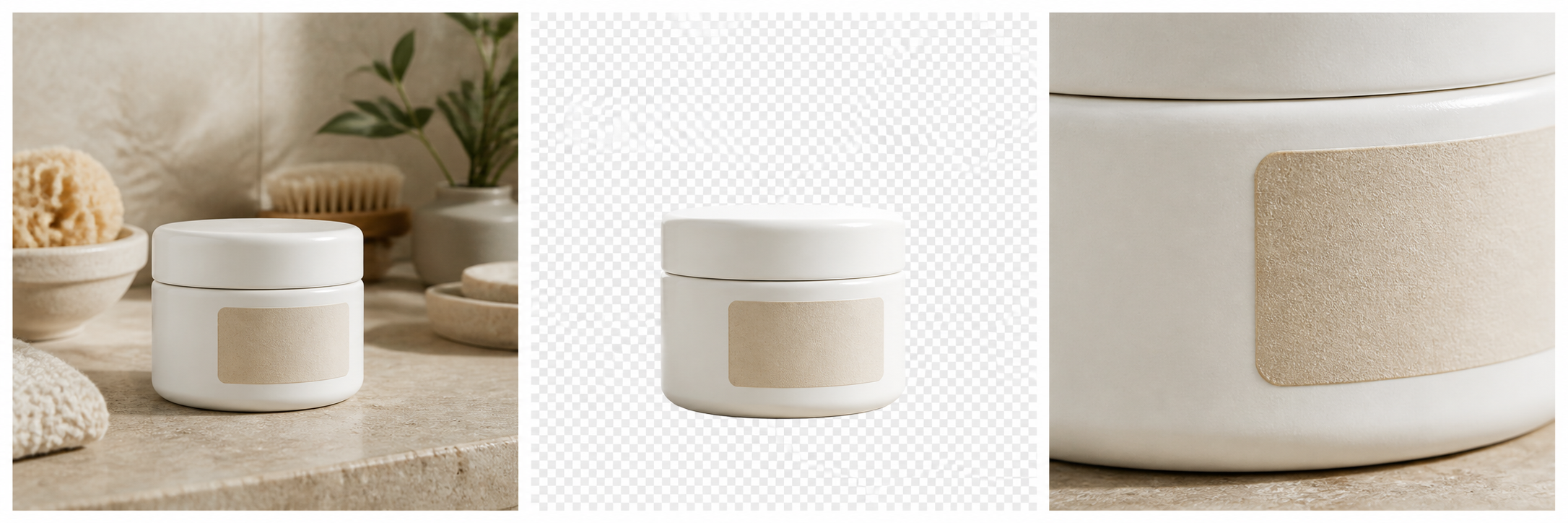
Judge the edges, not the effect
Look at the cap seam, label edge and ceramic texture. Those small boundaries reveal whether an image edit is genuinely clean.
- Subject
- Preserved
- Edges
- Checked
- Preview
- Before approval
Visual guide
Judge a background removal by the edges, not the empty space
A plain object is easy to separate. The useful test is what happens around laces, mesh holes, hair, glass and soft shadows — the places where foreground and background mix.
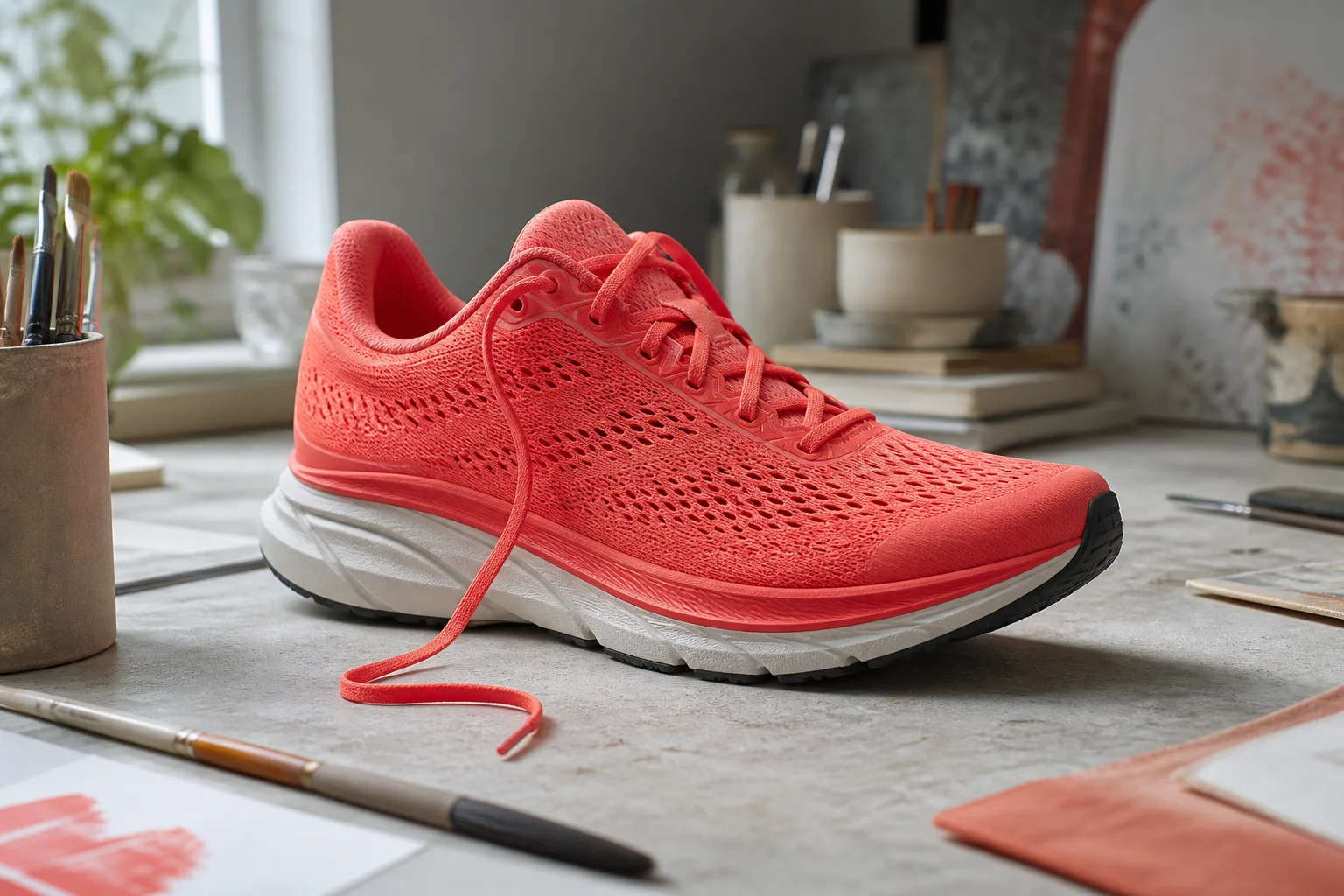 Example
- 01
Keep enclosed gaps open
Lace loops, handles and mesh holes should become transparent without closing up or filling with a sampled background colour.
- 02
Inspect colour spill
Bright surroundings can tint a subject edge. A good cut-out removes the background without leaving a pale or coloured halo.
- 03
Choose the destination first
Transparent PNG is best for reuse. Pure white suits catalogue main images; a custom backdrop needs edge colour and lighting to match.
- 04
Continue with the Agent
After the cut-out, the workspace can place the subject, match light, repair the edge and upscale the composition using the same result.
Detail
Remove background from image and get a transparent PNG
The default export is a PNG with a real alpha channel, which is what compositing, print and cutting machines need. A JPG cannot hold transparency at all — it flattens onto whatever background you chose, which is why a "transparent JPG" is always a white one.
The result is shown on a checkerboard so you can see exactly where the cut-out ends before spending a download. Every background remover looks good on a white preview; the checkerboard is where the truth is.
Detail
Clean product photos for Amazon, Etsy and Shopify
Amazon requires a pure white background on the main product image. Etsy and Shopify do not require it but reward it, because a consistent catalogue reads as a real shop rather than an assortment.
Cut the product out once and pick white for the main image, then use the same cut-out with a scene for the secondary shots. The image agent workspace can take exactly this cut-out and composite it into a studio setting.
Where automatic removal still fails
Fine strands of hair or fur, transparent and reflective materials, motion blur, and any edge where the subject and the background are close in colour. These are the hard cases for every tool on the market, ours included. The fix is usually at capture time — put the subject against a contrasting surface and leave space around all four edges.
Detail
A background remover stops at the cut-out. An image agent can keep going.
A single-purpose remover returns transparency. In the workspace you can continue from that result: replace the background, match the new lighting, repair the edge and upscale the final composition without uploading the cut-out again.
The agent is useful when the destination matters more than the operation. Tell it you need an Amazon main image or a profile portrait on a brand colour; it proposes the order and lets you confirm it before anything runs.
Detail
Cut out logos, icons and graphics
Flat graphics with hard edges are the easy case, and the result is usually pixel-clean. If the source is small, run it through the upscaler first — cutting out a 200px logo and then enlarging the cut-out compounds the artefacts.
Detail
Batch: five images at a time
Signed-in users can queue five at once. Each is charged as its own light edit and finishes on its own, so you can start downloading before the whole batch is done. This is the difference between a tool you try once and one you use for a catalogue.
FAQ
Frequently asked questions
One real removal a day is available without an account, and signed-in free accounts get five a day. Beyond that each removal is a ten-credit light edit.
Works well with
Built in public
Feedback on this tool
Published messages are from signed-in users, reviewed for privacy and spam, and shown with the team response when one exists.
No public feedback has been published yet. New submissions are reviewed before they appear here.
Share product feedback
Sign in before submitting. This keeps the public board useful and gives us a way to follow up privately.
Sign in to share feedbackKeep creating
Ready when you need more
Runs cost 10 credits. New accounts start with enough to try every tool.