Prompts
How to Write Image Prompts That Work: A Formula with Tested Examples
A six-part image prompt formula, tested: the same cafe written as adjectives and as decisions, each rendered twice, plus what happens when you write “no lamps”.
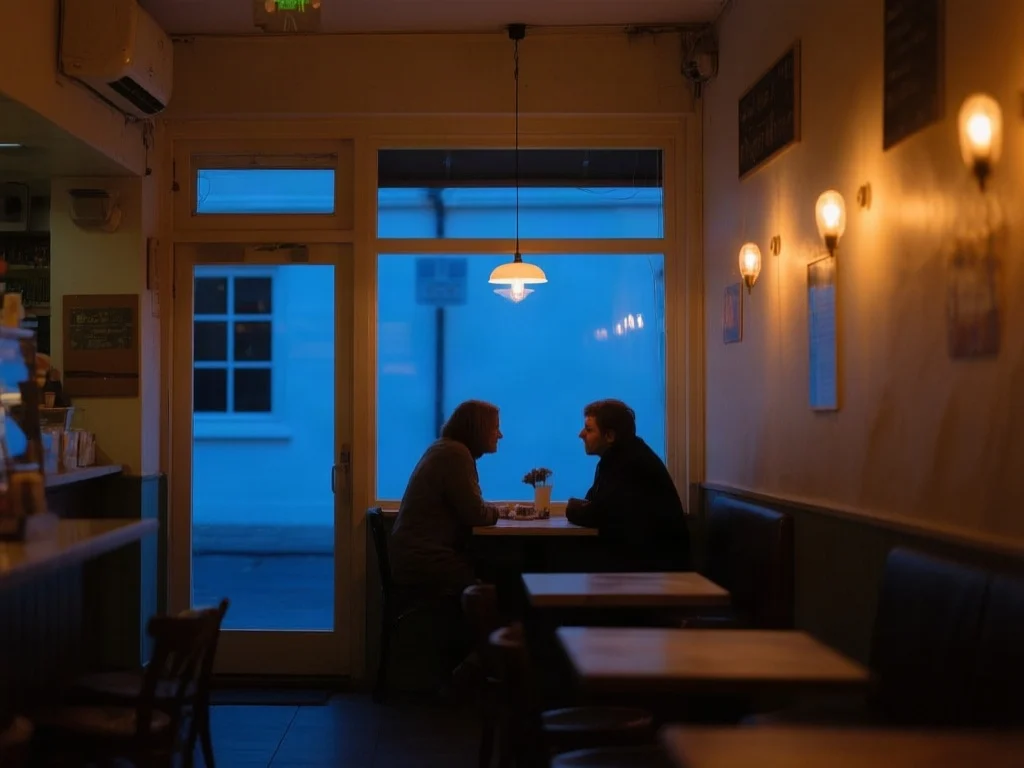
To write an image prompt that works, name the subject first, then state five more decisions in order: what the subject is doing, where, in what light, from which viewpoint, and in what medium or style. Leave out words that only express approval, such as “beautiful” or “high quality”. Then change one decision per run, so you can tell which words changed the picture. The examples below run that advice against a real model, including one place where it failed.
The six-part image prompt formula
1. Subject
The thing the picture is about, as a concrete noun. “Two people”, “a ceramic mug”, “a lighthouse”.
2. Action or state
What the subject is doing or how it is arranged. “At a window table”, “resting on a windowsill”.
3. Setting
Where, and when. “Interior of a small cafe at dusk”.
4. Light
Source, direction and colour. “Warm tungsten light against blue exterior light”.
5. Viewpoint
Distance, angle or lens. “Seen from across the room”, “overhead flat lay”, “85mm close-up”.
6. Medium
Photograph, gouache, ink, 3D render. Skip it and the model picks its default.
The order is a writing aid, not a law. It puts the subject where it is least likely to be crowded out, and it makes a missing decision easy to spot. If your prompt has no light in it, the model chooses the light, and you cannot complain about its choice.
Replace every evaluation with a decision
Most weak prompts are full of evaluations rather than instructions. “Beautiful”, “stunning”, “high quality” and “masterpiece” describe how you would like to feel about the result. They do not say what is in the frame. The first two tests use the same subject, written both ways, and run each version twice.
Worked example
A prompt made of evaluations, run twice
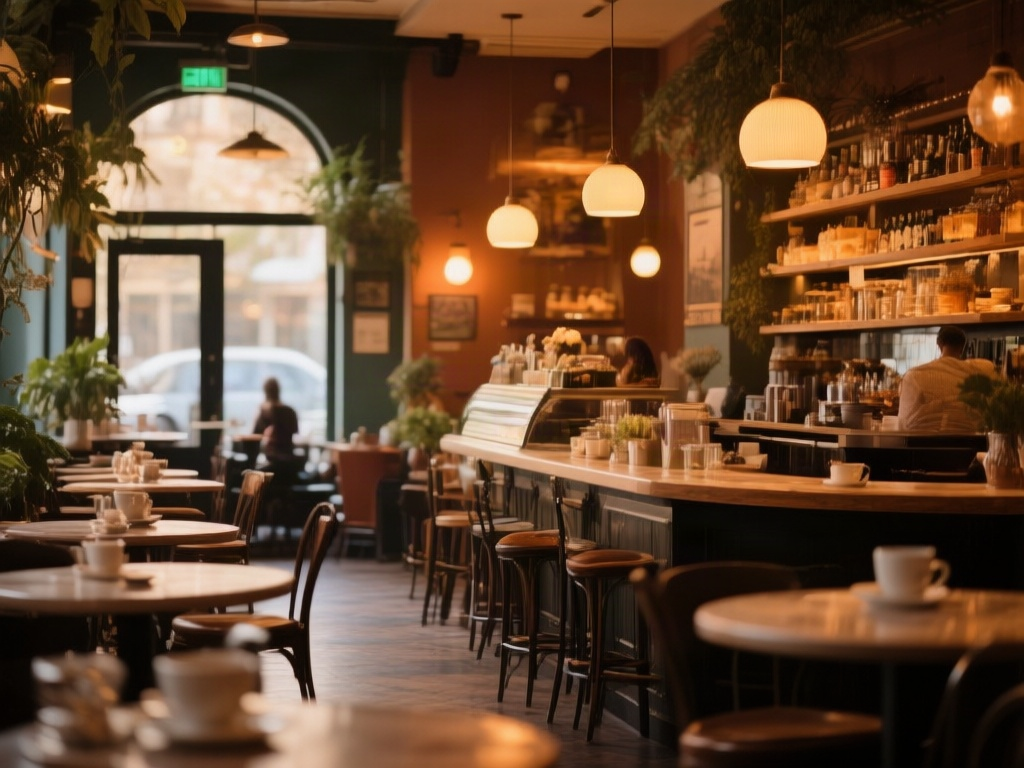
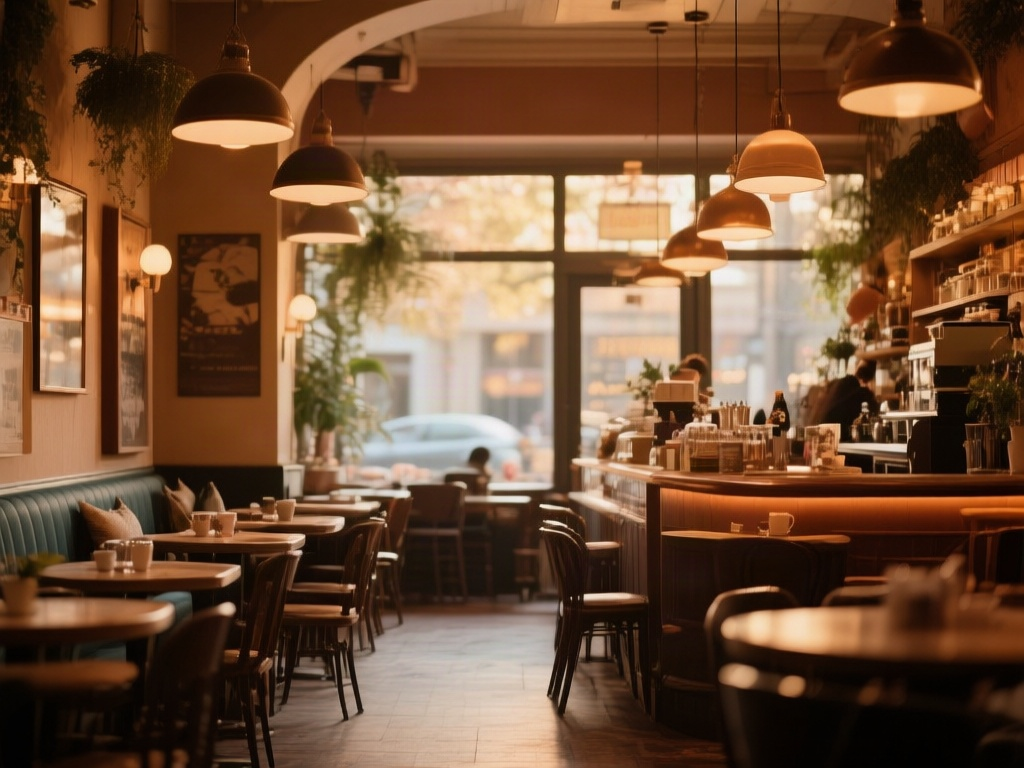
Captured 17 September 2026 with Qwen Image at its default settings and a random seed. One completed render per prompt run; nothing was selected or retouched.
Read the unedited prompt
A beautiful, stunning cafe scene, warm and inviting, high quality, masterpiece
- Both runs are competent, and both are the model’s default cafe: amber light, pendant lamps, a counter, rows of tables.
- Nothing in the prompt decided the viewpoint, the time of day or whether anyone is present, so the model decided. “Stunning”, “high quality” and “masterpiece” left no visible trace.
- If this is the picture you wanted, the prompt is fine. If you had a specific scene in mind, there is nothing here to correct, because nothing was specified.
Worked example
The same cafe as decisions, run twice
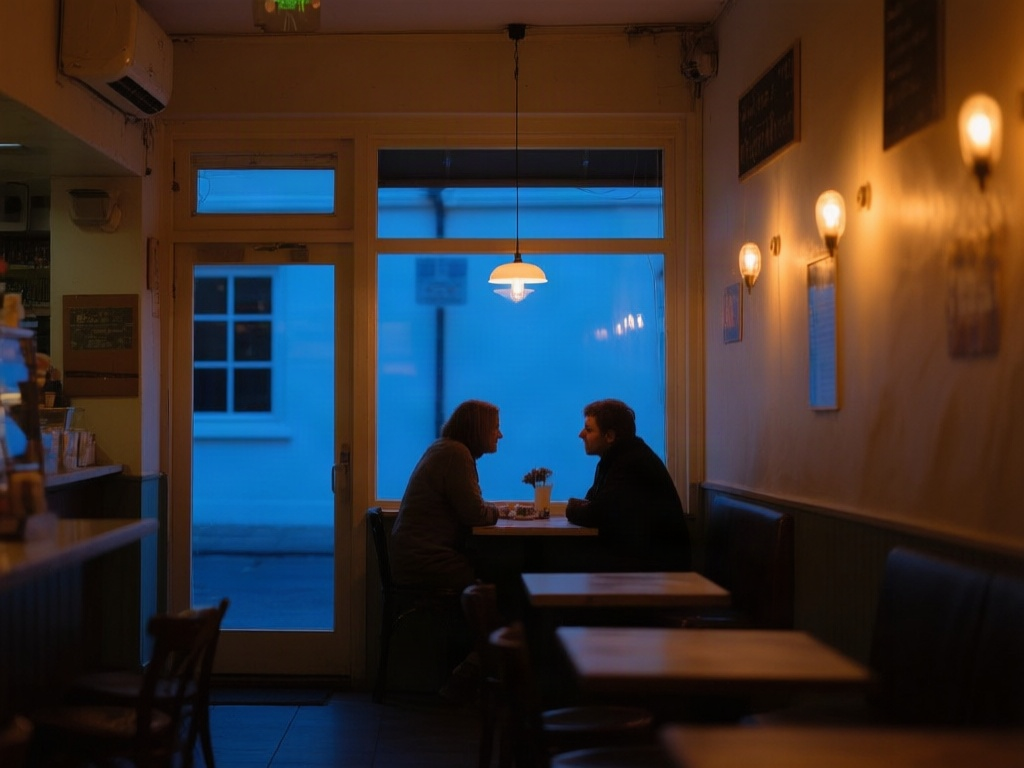
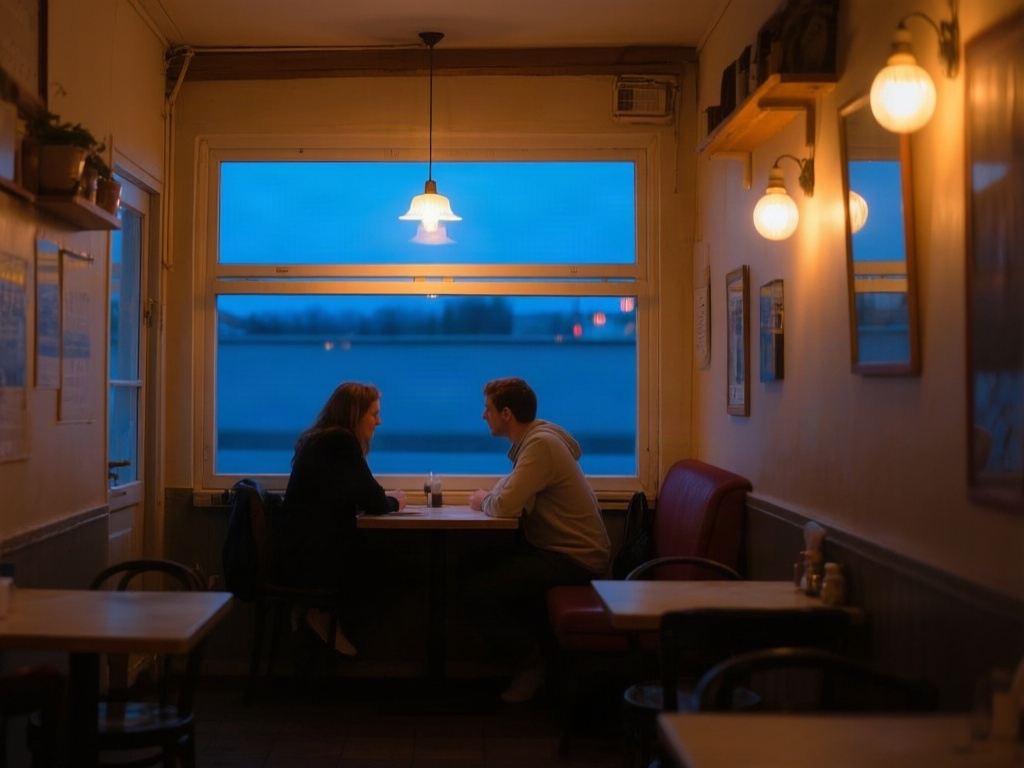
Captured 17 September 2026 with Qwen Image at its default settings and a random seed. One completed render per prompt run; nothing was selected or retouched.
Read the unedited prompt
Interior of a small cafe at dusk, two people at a window table seen from across the room, warm tungsten light against blue exterior light
- Both runs contain every decision in the prompt: two people, a window table, a view from across the room, warm lamps against blue exterior light.
- What the prompt left open still varies between runs: the furniture, the people and the shape of the window.
- The prompt is shorter than most “quality” prompts. It works because each phrase is something a stranger could draw.
| Instead of | Write | Why |
|---|---|---|
| beautiful lighting | low sun from behind the subject, long shadows | A direction and a quality can be drawn |
| high quality | large-format film photograph, fine grain | A medium produces a look |
| cinematic | 2.39:1 frame, teal shadows, shallow focus | Each part is a separate, checkable choice |
| cosy cafe | small cafe at dusk, two people at a window table | Count, place and time are now fixed |
A test before you generate: could a stranger draw it?
Read the prompt as if you were handing it to an illustrator you cannot speak to. “A cosy cafe scene, warm and inviting” leaves them asking how many people, what time of day and seen from where. The decision version answers those questions, which is the same reason the model could render it twice with the same content. Length is not the point: the working prompt above is 25 words.
Change one axis at a time
Changing style, lighting and composition together tells you the new image is different, but not which change caused it. Hold everything else still and move one decision. The third test changes only the light, and it also shows a failure worth knowing about.
Worked example
Changing one axis: the light
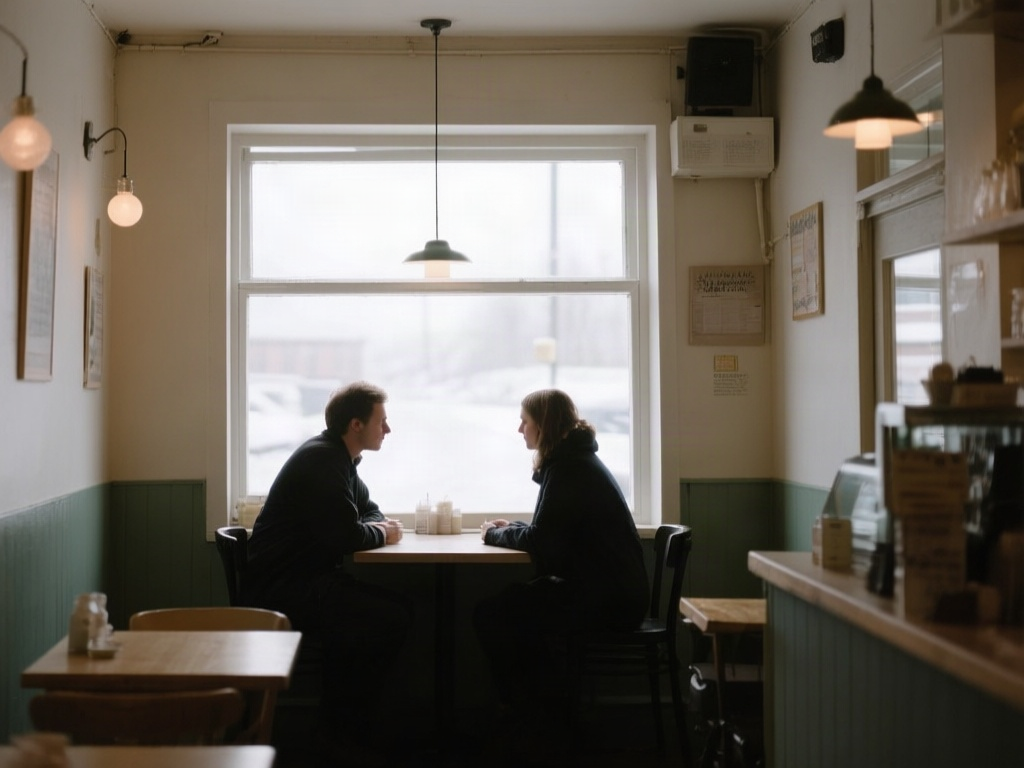
Captured 17 September 2026 with Qwen Image at its default settings and a random seed. One completed render per prompt run; nothing was selected or retouched. Only the time of day and the light description were changed.
Read the unedited prompt
Interior of a small cafe at midday, two people at a window table seen from across the room, bright overcast daylight from the window, no lamps lit
- Subject, viewpoint and composition hold, so the difference between the two pictures can be attributed to the one phrase that changed.
- The prompt said “no lamps lit”, and the lamps are lit. A negation inside a plain-language prompt still puts the word “lamps” in front of the model.
- The fix is to describe the state you want: “lamps switched off, dark glass shades” gives the model something to draw instead of something to avoid.
Negative prompts and negations are different things
A negative prompt is a separate input that some generators provide, most familiarly Stable Diffusion interfaces. Words placed there are steered away from. A negation inside the main prompt is just more words, and “no lamps” contains “lamps”. Midjourney handles exclusions with its --no parameter, and Flux does not take a negative prompt at all, so the reliable habit across models is to describe the state you want. Our image prompt generator writes the exclusion in whichever form the chosen model accepts.
Start from a prompt, or start from a picture
When you write an image prompt with the tool you get five variations that each move a different axis, which makes the one-change comparison easy to run. If you would rather begin with a picture you like, image to text prompt describes its subject, light, composition and medium so that you can edit one of them. The guide to turning an image into a prompt shows that route with worked examples.
Questions about writing image prompts
How long should an image prompt be? Long enough to state the decisions you care about. The tested prompt is one sentence. Add words when a run shows the model choosing something you wanted to choose.
Do quality words ever help? Some communities report that certain tags shift style on specific Stable Diffusion checkpoints. In the test above they left no visible trace, so try them as one change at a time rather than assuming.
Why do two runs of the same prompt differ? Each run starts from a different random seed unless you fix it. Whatever the prompt leaves open is decided again every time.
Everything above is testable free: the free AI photo editor no sign up page lists which prompt tools take a daily anonymous run and what an account adds.
Tools this guide is about
- Image Prompt GeneratorWrite one line. Get five prompts that each move a different axis — style, lighting, camera — so you can see which direction you actually wanted.
- Image to PromptPick the format you need, then drop your picture into the workspace and get the prompt that recreates it, written in the syntax of the model you will paste it into.