Prompts
Midjourney vs Stable Diffusion vs Flux: Prompt Syntax Compared
One idea in real Midjourney, Stable Diffusion and Flux syntax, then each pasted into another model to show what breaks, including a --no list that backfired.
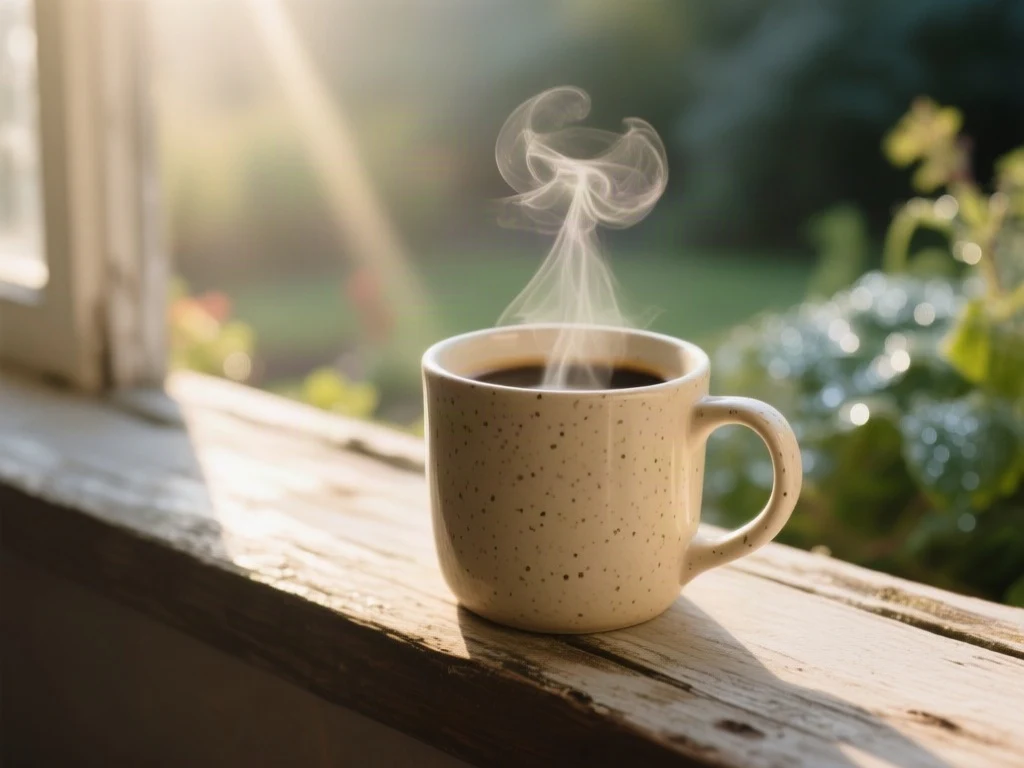
Midjourney, Stable Diffusion and Flux do not read prompts the same way. Midjourney takes descriptive phrases followed by parameters such as --ar and --no. Stable Diffusion interfaces take weighted tags plus a separate negative prompt. Flux takes plain sentences and has no negative prompt. A prompt pasted from one into another still produces an image, which is why the damage is easy to miss. Below, one idea is written all three ways by a live tool, and each version is then rendered in a model it was not written for.
The three syntaxes at a glance
| Midjourney | Stable Diffusion | Flux | |
|---|---|---|---|
| Main text | Comma-separated descriptive phrases | Comma-separated tags, most important first | Full natural-language sentences |
| Emphasis | Word order; multi-prompt weights with :: | (term:1.2) weights in most interfaces | Say it plainly, and say it early |
| Aspect ratio | --ar 16:9 at the end of the prompt | Width and height settings, outside the prompt | Size setting, outside the prompt |
| Exclusions | --no item, item | A separate negative prompt field | None. Describe what should be there |
Stable Diffusion is a family of checkpoints and interfaces rather than one product, so weights and negative prompts depend on the software you run it in. The conventions in the table are the common ones, and they are what the examples below use.
One idea, three real prompts
The prompts in the tests below are unedited outputs of the AI prompt generator, which formats the same idea for whichever model you pick. Read them side by side before looking at the pictures: the Midjourney version ends in parameters, the Stable Diffusion version is two lines, and the Flux version is a paragraph.
Worked example
Midjourney syntax pasted into another model
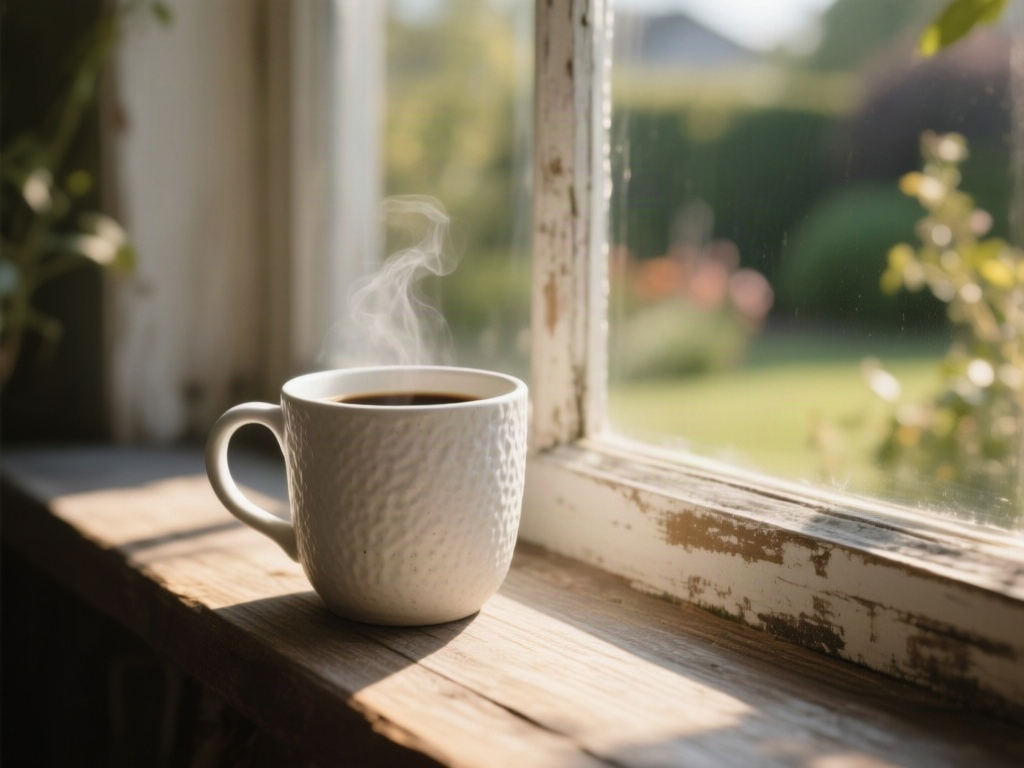
Captured 17 September 2026. The prompt is the first of five returned by the live image prompt generator for the idea “A ceramic mug on a windowsill, morning light”, style Photographic. It was then passed unedited to Qwen Image at its default settings. It was not rendered in the generator it was written for.
Read the unedited prompt
macro close-up of a textured white ceramic mug resting on a weathered wooden windowsill, soft morning sun streaming through the glass creating warm highlights and long shadows, shallow depth of field blurring the garden outside, cinematic lighting, photorealistic, 8k --ar 16:9 --no steam, coffee, liquid
- The prompt ends with --no steam, coffee, liquid. The render contains steam and coffee.
- A model that does not parse Midjourney parameters reads “steam, coffee, liquid” as three more things to draw. The exclusion became a request.
- The requested 16:9 ratio was also ignored: the file is 1024 × 768. Parameters only work in the model that owns them.
Worked example
Stable Diffusion syntax pasted into another model
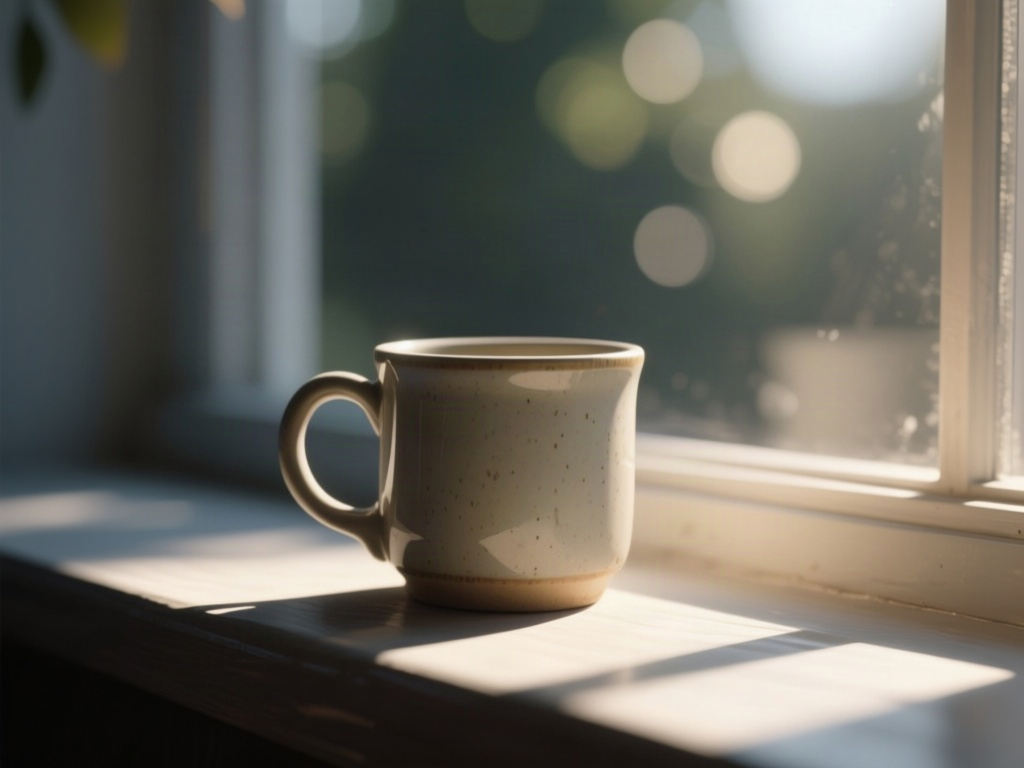
Captured 17 September 2026. The prompt is the first of five returned by the live image prompt generator for the idea “A ceramic mug on a windowsill, morning light”, style Photographic. It was then passed unedited to Qwen Image at its default settings. It was not rendered in the generator it was written for. This model has no negative field, so both lines went in as one prompt.
Read the unedited prompt
photorealistic ceramic mug, morning sunlight, windowsill, shallow depth of field, bokeh background, soft shadows, (high detail:1.2), (natural lighting:1.1)
Negative prompt: blurry, low resolution, cartoon, illustration, dark, harsh shadows, cluttered background
- The tags carried over: mug, windowsill, morning sun, soft shadows and bokeh are all present.
- The weights did nothing visible. (high detail:1.2) is read as words and punctuation by a model that does not parse weights.
- None of the words on the Negative prompt line appeared this time. After the Midjourney result above, treat that as luck. In a Stable Diffusion interface the second line belongs in the negative field, where it is steered away from rather than read.
Worked example
Flux-style sentences in a natural-language model
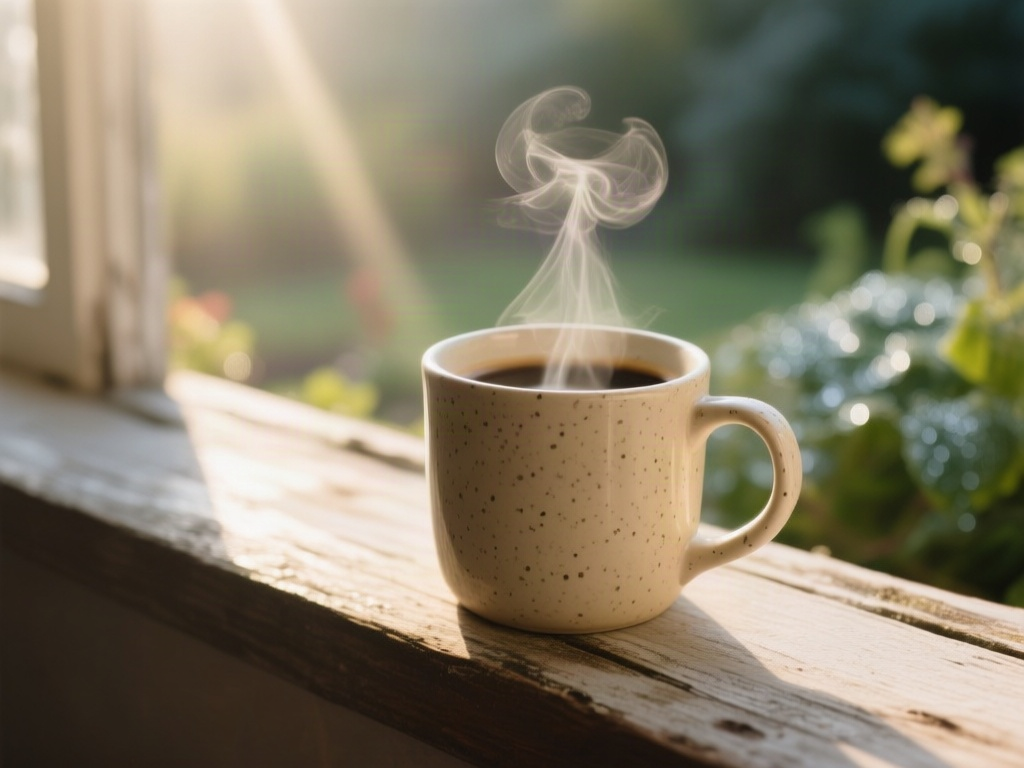
Captured 17 September 2026. The prompt is the first of five returned by the live image prompt generator for the idea “A ceramic mug on a windowsill, morning light”, style Photographic. It was then passed unedited to Qwen Image at its default settings. It was not rendered in the generator it was written for.
Read the unedited prompt
A close-up, eye-level shot of a speckled beige ceramic mug resting on a weathered wooden windowsill, with soft morning sunlight streaming in from the left to highlight the steam rising from the hot coffee inside. The background features a softly blurred view of dewy garden foliage, creating a shallow depth of field that keeps the focus sharply on the texture of the mug and the warm light rays.
- Every stated decision appears: speckled beige glaze, light from the left, rising steam, blurred garden foliage.
- It is the longest of the three prompts and the most faithful render, because each clause is something to draw and nothing in it needs a parser.
- The same text would be a poor Stable Diffusion prompt on many checkpoints, where long sentences dilute the tags that matter.
What actually breaks when you paste across
- Parameters become words. In the first test, --no steam, coffee, liquid produced steam and coffee, and --ar 16:9 changed nothing.
- Weights become punctuation. (high detail:1.2) has no effect in a model that does not parse weights.
- Negatives lose their field. Pasted into a single prompt box, a negative list is read as content. It may be ignored, or it may be drawn.
- Sentences dilute tags. A paragraph written for Flux buries the few terms a tag-driven checkpoint would have weighted most.
None of these failures announces itself. The image is merely off, so it is tempting to conclude that the second model is weaker, when it was handed a prompt in a syntax it does not read. Midjourney’s own documentation makes the matching point from the other side: it lists “still life gouache painting without any fruit” as a bad prompt and --no fruit as the good one.
How to convert a prompt between models
| Moving from | To | Do this |
|---|---|---|
| Midjourney | Flux | Delete every parameter. Set the ratio in the size control. Rewrite each --no item as a positive description of what is there instead. |
| Midjourney | Stable Diffusion | Move --no items into the negative prompt. Set width and height. Shorten phrases into tags. |
| Stable Diffusion | Flux | Drop the weights and the negative prompt. Turn the top tags into two or three sentences. |
| Stable Diffusion | Midjourney | Drop the weights. Move the negative list into --no. Add --ar. |
| Flux | Stable Diffusion | Extract the nouns and the lighting into tags, most important first. Write a short negative prompt for the usual artefacts. |
Keep one description, three renderings
The practical habit is to hold one description of the image and generate a rendering of it per model, rather than patching a single prompt as you move it around. The image prompt generator writes each syntax from one idea, and image to prompt does the same starting from a finished picture. Before converting a description you took from a picture, check it against the source: the step-by-step guide to turning an image into a prompt shows what to verify. For the decisions that belong in any prompt regardless of syntax, see how to write image prompts that work.
Questions about prompt syntax
Does Flux support negative prompts? No. Black Forest Labs documents that its models work without them and recommends describing what you want instead.
Can I use (word:1.3) weights in Midjourney? No. Midjourney uses :: to separate and weight parts of a prompt, which is a different mechanism with different behaviour.
Why did my Midjourney prompt get worse in another tool? Check the end of the prompt first. Parameters that the new tool does not parse are being read as description.
Tools this guide is about
- Image Prompt GeneratorWrite one line. Get five prompts that each move a different axis — style, lighting, camera — so you can see which direction you actually wanted.
- Image to PromptPick the format you need, then drop your picture into the workspace and get the prompt that recreates it, written in the syntax of the model you will paste it into.